


How to convert CS2 sensitivity to FragPunk


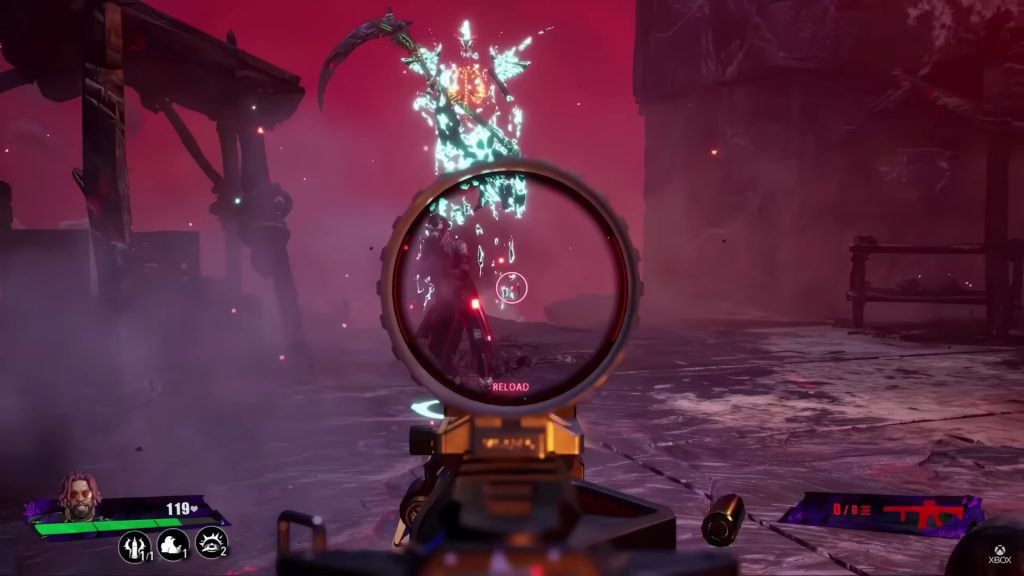
The five-versus-five shooter FragPunk has become a hit even before it’s officially released, and CS2 players might want to covert the game’s sensitivity to FragPunk.
While Valve’s Counter-Strike 2 is a highly popular game, Bad Guitar Studio’s FragPunk is no slouch. The team-based hero shooter FragPunk is still in the closed beta stage, but its unique shard cards and roster of playable characters have made it a success. Many fans of the shooter genre play both games and players may want to try out one game’s sensitivity in the other. This isn’t uncommon, as most gamers are always on the lookout for new ways they can modify settings to better their gameplay.
Fortunately, there is good news for fans, as there is an easy way to convert CS2 sensitivity to FragPunk.
Convert CS2 sensitivity to FragPunk
Players need to calculate and convert their mouse sensitivity to use their CS2 settings on FragPunk
Players who wish to use CS2 mouse sensitivity settings on FrangPunk first need to check their mouse settings in CS2. Once players know CS2’s mouse sensitivity, they can use a formula to convert the settings and use them on FragPunk.
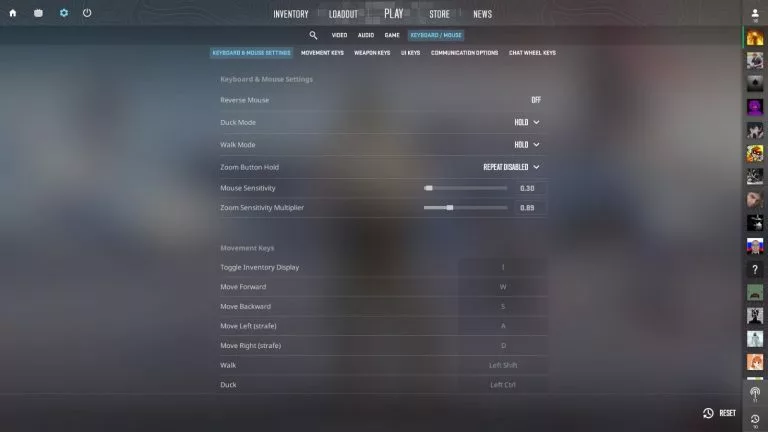
CS2 settings can be found using the following steps.
- Launch Counter-Strike 2 and head to the main menu
- Open the in-game settings by clicking the gear icon on the top left corner of the screen
- Click on keyboard and mouse settings to open the sub-menu
- Check the mouse sensitivity as you will need to calculate it to convert the settings
- The CS2 to FragPunk sensitivity ratio is 1:0.40, so to covert CS2 sensitivity to FragPunk, players need to use the following formula
- Multiply the CS2 sensitivity by 0.40
- Once players have calculated the sensitivity, they need to input it in FragPunk
After players successfully calculate their FragPunk sensitivity according to Counter-Strike 2, they can modify the settings in FragPunk using the following steps:
- Launch FragPunk and head to the main menu
- Open the in-game settings
- Locate the look sensitivity in the sensitivity tab
- Input the converted Counter-Strike 2 sensitivity value
After completing the abovementioned steps players will be able to use their CS2 mouse sensitivity in FragPunk. Players should not modify their mouse DPI settings after converting their sensitivity, or else the value will need to be calculated again.



Related Articles
All Gaming News
 Fortnite
 CS2
CS2
 Gaming
 Esports
 Esports
 Gaming
 Fortnite
 Gaming
 Fortnite
No comments yet




 Spain. LaLiga. EA FC 25. (2x4 min)


 Overwatch World Cup 2026


 Brasileirao Serie A. EA FC 25. (2x4 min)


 World Cup. EA FC 25. (2x4 min)


 3v3 League. EA FC25 (2x3 min)






Leave a Comment
Join our community or access your account to post a comment.