


How to use enerii’s settings in VALORANT


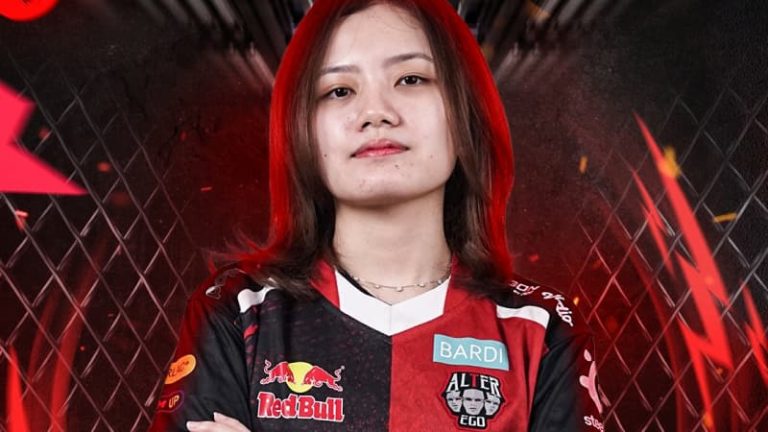
Fans who want to replicate the style of Xipto Esports’ Odella “enerii” Abraham in VALORANT will want to know what settings she uses to start playing like her.
Indonesian player enerii is a professional VALORANT player currently in Xipto Esports. She has become a fixture of top-level VALORANT thanks to several deep runs in tournaments. The player has garnered a sizeable fanbase thanks to her excellent performances and high skill in VALORANT.
Naturally, Enerii’s fans also want to play like their favorite player. Fortunately, Enerii’s VALORANT settings are public knowledge, similar to many other professional Valorant players like Demon1 and Dep.
She shares her settings on her Twitch live streams, so fans who want to copy the VALORANT player’s style can easily use them when playing the game.
What are Enerii’s VALORANT settings?
enerii shared her VALORANT settings for her fans during a Twitch stream, allowing anyone to easily copy them.
enerii showed off her settings to her fans during one of her now-deleted Twitch streams. As expected, fans quickly jumped at the opportunity to play as their favorite VALORANT player. While her settings won’t make someone play like enerii, they’re an excellent baseline. This is especially true for those with a similar play style to the Indonesian professional player.
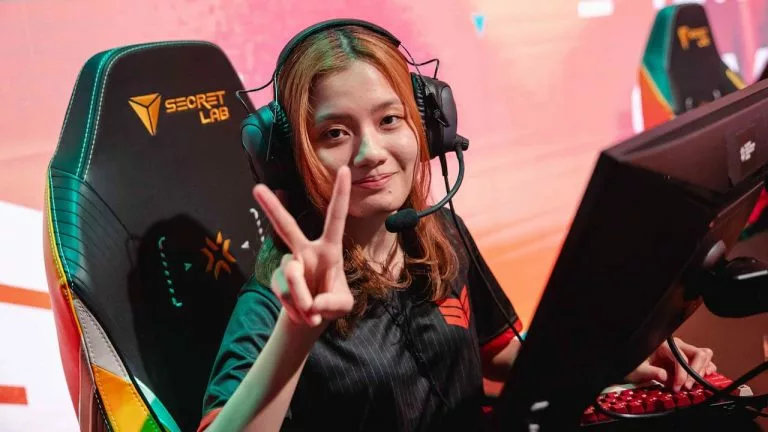
Below are the settings the professional VALORANT player enerii uses.
- DPI: 800
- Sensitivity: 0.24
- Hz: 8000
- Scoped Sensitivity/ADS: 1/0
- Raw Input Buffer: Unknown
- Crosshair: 0;p;0;s;1;P;u;77C3ECFF;o;1;d;1;f;0;m;1;0t;1;0l;0;0v;3;0o;0;0a;1;0f;0;1b;0;A;u;000000FF;o;1;d;1;z;1;0l;0;0a;1;0f;0;1b;0;S;t;0044FFFF;s;0.945;o;1
- Resolution: 1440×1080
- Aspect Ratio: 4:3
- Multithreaded Rendering: On
- Material Quality: Low
- Texture Quality: Low
- Detail Quality: Low
- UI Quality: Low
- Vignette: Off
- VSync: Off
- Anti-Aliasing: None
- Anisotropic Filtering: 1x
- Improve Clarity: Off
- Experimental Sharpening: Off
- Bloom: On
- Distortion: Off
- Cast Shadows: Off
- Enemy Highlight Color: Yellow
Alongside her in-game settings, players should check out what peripherals enerii uses as well.
- Monitor: BenQ ZOWIE XL2546K
- Keyboard: Razer Huntsman V3 Pro Mini
- Mouse: Razer Viper V3 Pro White
What tournaments has enerii won in her career?
enerii has won numerous VALORANT Champions Tour Game Changers APAC tournaments throughout her career.
The professional VALORANT player has won 11 VCT Game Changers APAC events. Some examples include VCT 2023: Game Changers APAC Elite and VCT 2021: Game Changers SEA Elite. enerii was named the second-best Asian Game Changers player of 2023 by the esports media team VALO2ASIA.
Although Enerii’s settings helped her win numerous VCT Game Changers events, it wasn’t the only thing responsible. The streamer has dedicated hours to mastering her craft, and anyone who uses her settings will likely have to do the same.





Related Articles
All Valorant News Valorant
 Esports
 Esports
 Valorant
 Valorant
 Valorant
 Valorant
 Esports
 Valorant
 Valorant
No comments yet










Leave a Comment
Join our community or access your account to post a comment.