


The best ways to fix Marvel Rivals crash error


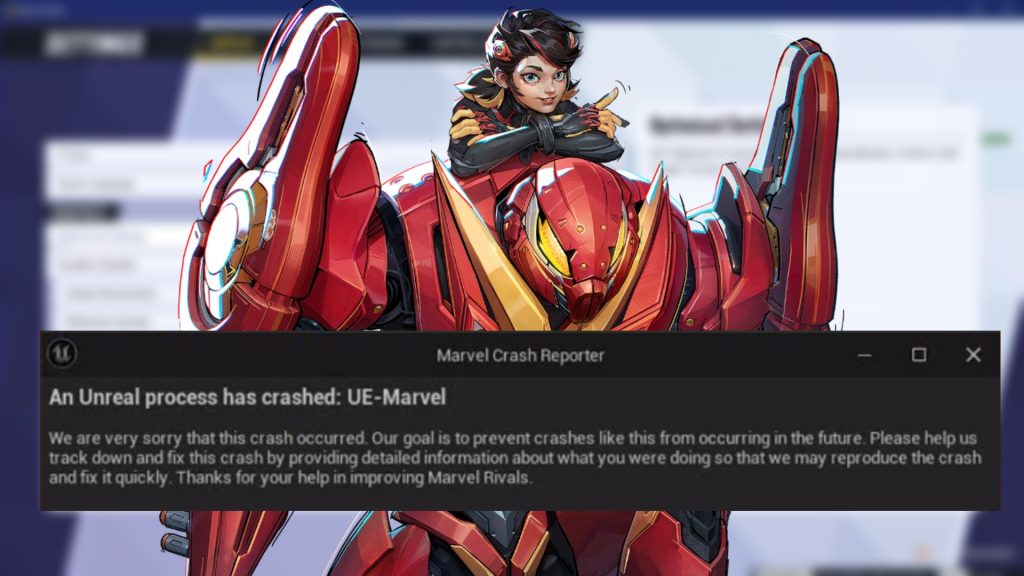
Marvel Rivals is making waves as the hot new hero shooter, but players are still looking for ways to fix severe crash errors.
At launch crash issues are common in multiplayer games. However, Marvel Rivals underwent extensive alpha and beta testing, during which it ran smoothly for most playtesters. Despite this, many players have reported experiencing game crashes a few days after Marvel Rivals’ official release.
In response, NetEase recently rolled out a patch to address and resolve these crashes. While the update has improved stability for some players, gamers still encounter issues on PC, leaving some users frustrated.
How to fix Marvel Rivals crashing on PC
The latest NetEase blog addresses clipping issues in Marvel Rivals, meaning the game should run smoothly or at least better than before. However, if the game continues to crash shortly after startup or just before queuing, the problem might stem from the PC’s configuration.
Here are some Marvel Rivals crash fixes that have worked for players.
Cap Marvel Rivals FPS
If the game doesn’t crash right after launch, try to tweak some in-game settings that may be causing the game to shut down. First, make sure textures are set to low from the display settings section. After doing that:
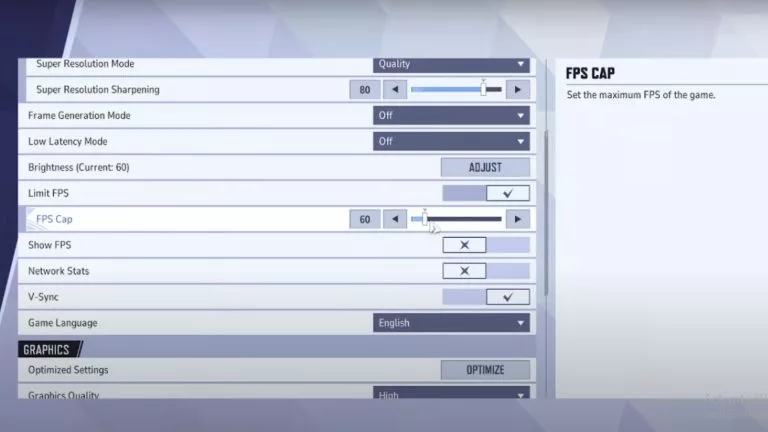
- Scroll down to find “Limit FPS” and enable it
- Upon enabling, a bar will appear to tweak FPS cap
- Set it to max 120 FPS
This should resolve the game crashing issue for players booting up Marvel Rivals on low-end setups. Adjusting texture quality may also benefit those with beefier builds, as the game currently suffers from optimization challenges.
Close background applications
High CPU usage could also be one reason Marvel Rivals keeps crashing at launch. The simple solution is to kill resource-intensive tasks, like Google, Discord, or other game launchers. Sometimes, simply closing them may not yield any result, so make sure to end the task from Task Manager before rebooting the game.
It’s also a good idea to monitor CPU usage in Task Manager before launching Marvel Rivals. If the CPU is still overheating or showing high usage, consider closing additional applications to free up resources before starting the game.
Verify game integrity
Sometimes, a fix can be as simple as verifying game files. Here’s how players on Steam launcher can do it:
- Open Steam and click on Library.
- Look for Marvel Rivals and right-click on it to open the menu.
- Select Properties and then go to Installed Files.
- Click on Verify Integrity of game files
- Start the game once verification is completed.
Follow these steps to verify the game on Epic Launcher:
- Open Epic Games Launcher and look for Marvel Rivals in the library
- Click on game settings and select Manage
- Click on Verify and wait for verification to complete
Delete crash logs
If all available fixes have been applied and Marvel Rivals continues to crash, this solution may resolve the issue for good. In some cases, the game’s crash logs can prevent it from launching, even after applying other fixes. Each crash generates a log file, which can accumulate and take up a significant amount of disk space.
Some players have discovered 10–15 GB of crash logs, potentially affecting performance or blocking the game from running. Clear the crash logs and launch Marvel Rivals to ensure a smoother performance. Players can delete these from the game’s crash folder. It’s usually located in: PC Username/AppData/Local/Marvel/Saved/Crashes. Select everything in this folder and delete it permanently to free up space.



Related Articles
All Gaming News
 Fortnite
 CS2
CS2
 Gaming
 Esports
 Esports
 Gaming
 Fortnite
 Gaming
 Fortnite
No comments yet




 World Cup. EA FC 25. (2x4 min)


 Brasileirao Serie A. EA FC 25. (2x4 min)


 3v3 League. EA FC25 (2x3 min)


 Overwatch World Cup 2026


 ESEA Advanced Season 58 North America






Leave a Comment
Join our community or access your account to post a comment.