


The CS2 settings to play like ultimate from Team Liquid



Team Liquid’s CS2 team has been having a bit of a redemption arc, and fans are clamoring to copy the settings of star play Roland “ultimate” Tomkowiak.
After placing at the top of BLAST Premier Fall Groups 2024, Team Liquid has been looking quite promising this season. As of earlier this month, Team Liquid is ranked fourth in HLTV team rankings, with AWPer ultimate seen as a standout player. Fans often want to know how they can improve their setup to emulate incredibly skilled players like ultimate, hopefully improving their mechanics and focus.
Here are ultimate’s CS2 settings for optimal performance in the competitive shooter.
ultimate’s settings in CS2
Mouse: Logitech G Pro x Superlight 2
- DPI: 800
- Sensitivity: 0.92
- eDPI: 736.00
- Zoom Sensitivity: 1
- Hz: 1,000
- Windows Sensitivity: 6
Crosshair: Classic Style
- Follow Recoil: No
- Dot: No
- Length: 1.5
- Thickness: 0
- Gap: -3
- Outline: No
- Color: Green
- Red: 0
- Green: 0
- Blue: 0
- Alpha: Yes
- Alpha Value: 255
- T-Style: No
- Deployed Weapon Gap: No
- Sniper Width: 0
View model
- FOV: 68
- Offset X: 2.5
- Offset Y: 0
- Offset Z: -1.5
- Presetpos: 2
Video Settings
- Resolution: 1,280 x 960
- Aspect Ratio: 4:3
- Scaling Mode: Stretched
- Brightness: 93%
- Display Mode: Fullscreen
HUD
- HUD Scale: 0.9
- HUD Color: Orange
Radar
- Radar Centers the Player: No
- Radar is Rotating: Yes
- Toggle Shape with Scoreboard: Yes
- Radar HUD Size: 1.1
- Radar Map Zoom: 0.55
Will using these settings make you pop off like ultimate? Not these settings alone, no. But it always helps to have the most optimal settings for sharp shooting and laser-focused gameplay. It’s important to choose a crosshair color that stands out so players can easily follow it and stay focused. Players should feel free to edit the settings above to suit their personal tastes and adjust as they try them out in matches. It’s rarely a bad idea to copy a pro CS2 player’s settings, and ultimate’s quick rise is proof that his setup can be very effective.





Related Articles
All CS2 News CS2
CS2 CS2
CS2 CS2
CS2 CS2
CS2 CS2
CS2 CS2
CS2 CS2
CS2 CS2
CS2 CS2
CS2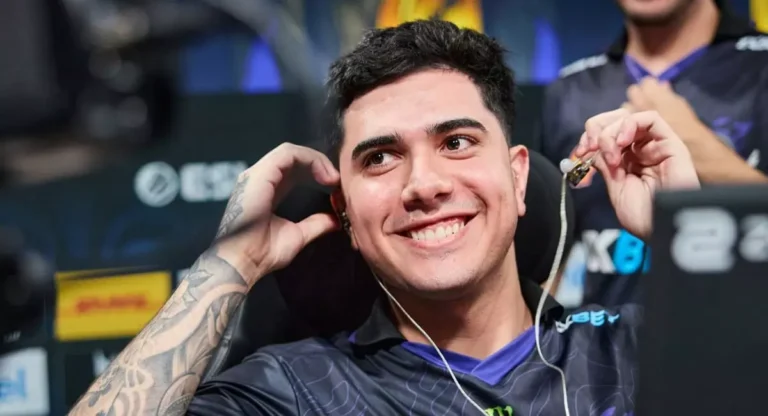 CS2
CS2No comments yet










Leave a Comment
Join our community or access your account to post a comment.