


The easy way to convert Valorant sensitivity to FragPunk


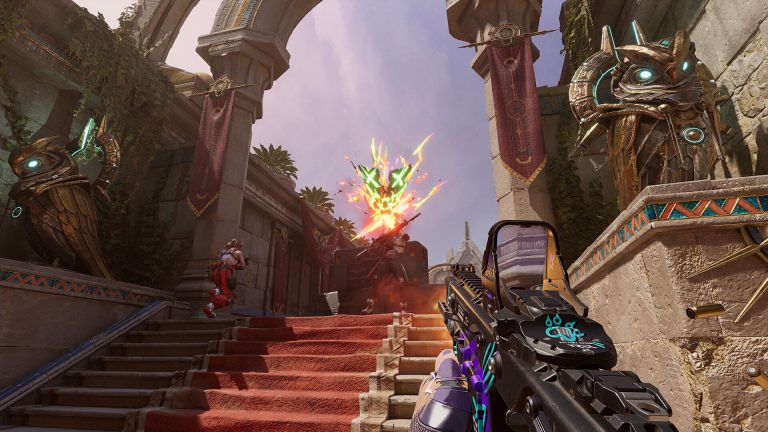
FragPunk is still in the closed beta stage, but the game’s already a hit among players, and fans might want to convert Valorant’s sensitivity to FragPunk.
Bad Guitar Studio’s free to play FragPunk has brought a different perspective to the shooter genre, and fans are hooked. While the game hasn’t officially been released, players are loving the unique gameplay and heroes in the closed beta. However, players who are used to the settings of other shooters such as Riot Games’ Valorant may face issues adjusting to FragPunk. Some players might want to certain settings like the mouse sensitivity from Riot’s shooter on FragPunk.
There is a way to convert Valorant’s mouse sensitivity to FragPunk that fans can use to adjust the settings according to their preference.
Convert Valorant sensitivity to FragPunk
Valorant players can convert their sensitivity to FragPunk with a simple equation.
- Launch Valorant and head to the main menu
- Open the in-game settings
- Head to the general tab and locate aim sensitivity
- The Valorant to FragPunk sensitivity ratio is 1:1.26 so to covert the sensitivity, FragPunk players need to use the following formula
- Multiply the Valorant sensitivity by 1.26
- Once players have calculated the sensitivity, they need to put it in FragPunk
After players successfully calculate their sensitivity according to Valorant, they can modify the settings in FragPunk using the following steps.
- Launch FragPunk and head to the main menu
- Open the in-game settings
- Locate the look sensitivity in the sensitivity tab
- Input the converted Valorant sensitivity value
Players must check their mouse settings in Valorant before they can use them on FragPunk. After players find their Valorant sensitivity settings, they can convert them using a formula and use them on Bad Guitar Stuidio’s shooter.
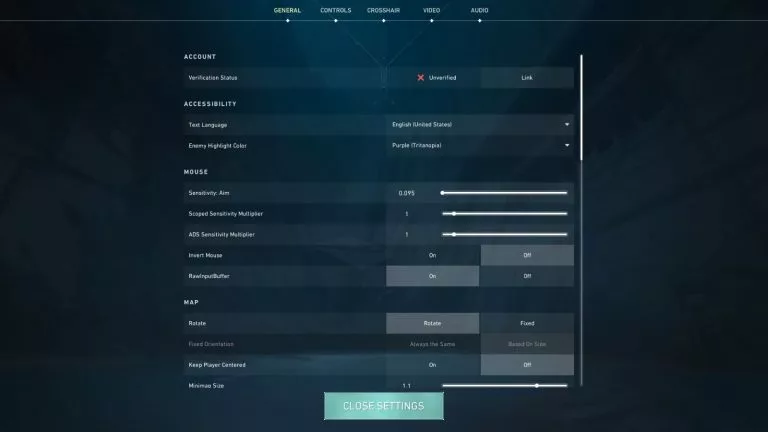
Once players successfully convert the sensitivity settings from Riot Games’ shooter and input the value in FragPunk, they’ll be able to use the settings they’re used to in the five-versus-five shooter. However, if players modify their mouse DPI settings, then they’ll need to follow all the steps again. If they don’t, then the settings will not be the same as their Valorant mouse sensitivity.



Related Articles
All Gaming News
 Gaming
 Esports
 Esports
 Gaming
 Fortnite
 Gaming
 Fortnite
 Esports
 Gaming
No comments yet










Leave a Comment
Join our community or access your account to post a comment.