


Try this simple setting to lower packet loss in CS2


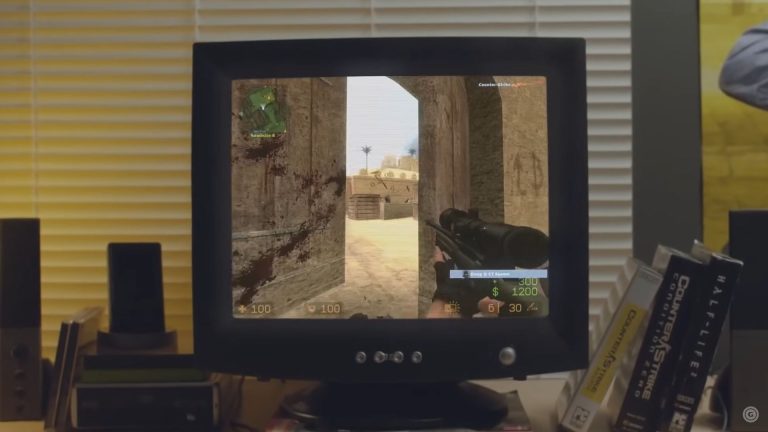
Counter-Strike 2 players have recently been experiencing unusual performance issues, which can stem from both their own network problems and server-related issues. One specific issue is low packet loss in CS2, which can be resolved by following a few simple steps.
CS2 players have voiced multiple complaints, with performance being a major concern. Issues like net code and lag have left many coming from CSGO feeling that CS2 is a step down in terms of smoothness and reliability. While Valve has been rolling out timely fixes, packet loss remains unaddressed.
Packets in CS2 have a direct impact on player movements and how accurately shots are sent and received between your game and the server. Low or 0% packet loss improves hit registration and reduces lag, often preventing dreaded rubber banding thanks to actions syncing up correctly in real time. However, recently, players have started noticing high losses, and this fix may help lower packet loss in CS2.
How to lower packet loss in CS2
Follow these steps to lower packet loss in CS2.
- Start CS2 and go to game settings
- Go to the Game section and find Max acceptable game traffic bandwidth
- Click on the dropdown menu next to it and select Extremely restricted
- Click on the option under it named Buffering to smooth over packet loss and select 1 packet
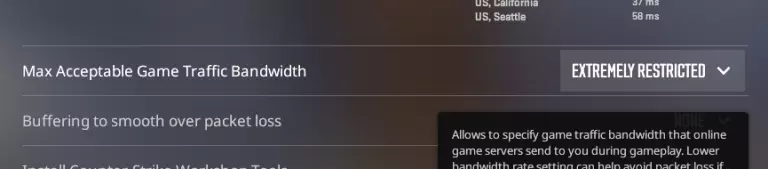
Changing these two settings should fix some potential issues that may be causing high packet loss. We recommend changing the buffering setting first and see if there are any improvements. If not, go ahead and restrict bandwidth as well. If these settings fail to lower packet loss in CS2, it’s most likely a server-ended issue that you can’t do anything about.
The great news is that players have been vocal about high losses in CS2, which means Valve is most likely listening and will resolve these issues soon. Until then, this fix should help the game play smoothly.



Related Articles
All CS2 News CS2
CS2 CS2
CS2 CS2
CS2 CS2
CS2 CS2
CS2 CS2
CS2 CS2
CS2 CS2
CS2 CS2
CS2 CS2
CS2No comments yet











Leave a Comment
Join our community or access your account to post a comment.