


How to record your CS2 gameplay with Steam


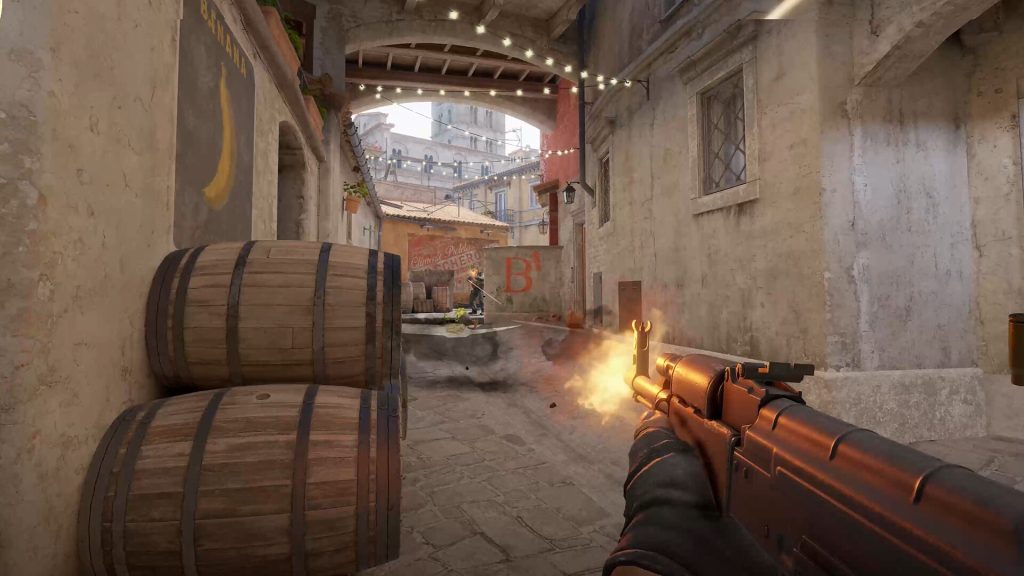
Valve has cooked up something special for CS2 grinders as Steam adds a new record feature to the world’s most popular tactical shooter.
Counter-Strike 2 is full of fun moments. From impossible clutches becoming reality to AWPers mowing down a rush, every game has at least one moment worth saving. Valve has finally realized that, and the company has released an update that makes programs like Medal and OBS redundant. CS2 players can now record their gameplay using Steam, but the feature isn’t on by default. There are a few hoops players must jump through to activate the beta feature.
If you plan on saving up clips for a frag movie, here’s how to record your best CS2 players using Steam.
How to record CS2 clips with Steam
To record CS2 gameplay with Steam, players have to opt into the Game Recording beta test through the Steam overlay.
Follow these steps to get started on saving your clips.
- Open Counter-Strike 2
- Open the Steam Overlay
- Go to the Record Gameplay section in the menu on the left
- Accept the beta test
- Select a recording preference
- Close and open Counter-Strike 2
Upon restarting the game, Steam will automatically begin recording gameplay. There are two options for recording which are fairly self-explanatory. The background record constantly runs as soon as players open the game, and players can go back and save clips up to two hours old. The record on demand option is less taxing but easy to forget about. There does not appear to be a way to change the recording hotkey for now, so Ctrl + F11 is the only option. If players select this option, they will probably need two hands to record their CS2 gameplay through Steam.
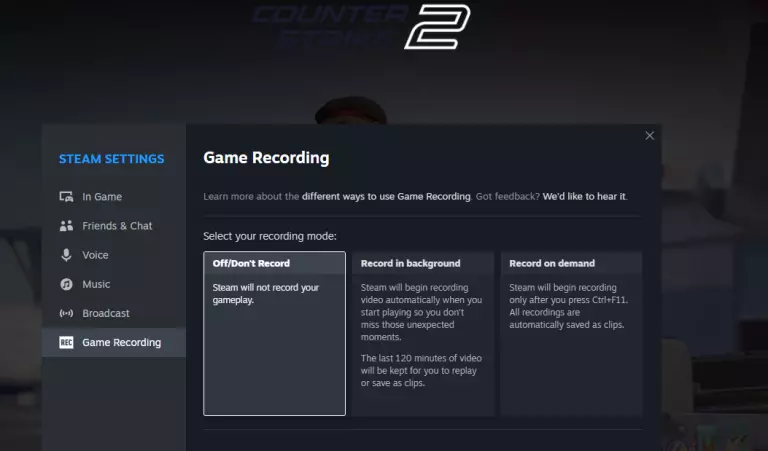
The new Steam record feature stores up to 120 minutes of gameplay. This could pose a problem for players with limited hard drive space, so they should make sure they have at least a few gigabytes to spare. This is especially true if they go with the automatic recording option. Be sure to clear out the recording and pick your favorite frags for a montage.
Note that the new Steam record only records CS2 gameplay, not audio or video from other sources. If players want to catch their friends’ reaction to their sick nasty clutch, they’ll still need to use an external program. The feature is still in beta, so it’s possible that external audio capture will be added in a future update.





Related Articles
All CS2 News


 CS2
CS2 CS2
CS2 CS2
CS2 CS2
CS2 CS2
CS2 CS2
CS2 CS2
CS2No comments yet




 World Cup. EA FC 25. (2x4 min)


 3v3 League. EA FC25 (2x3 min)


 CN League 2026 - Stage 2


 CIS LAN Championship 7


 Arena of Glory Winter 2026



Leave a Comment
Join our community or access your account to post a comment.