


Best VALORANT settings for lower ping and better bullet registration


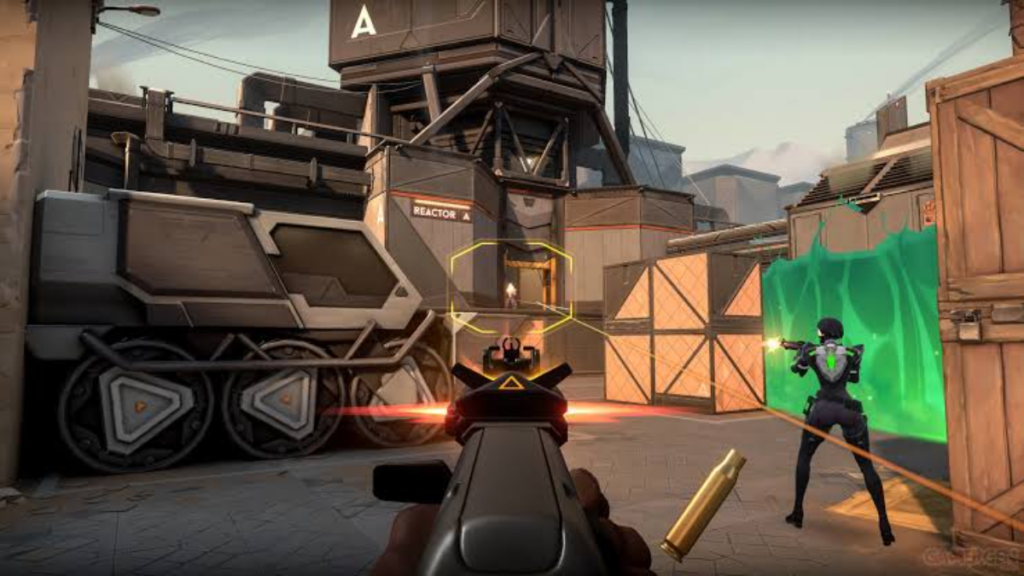
In VALORANT, combat timing is essential. Having a low, consistent ping, minimal packet loss, and low network issue helps in improving the overall experience. In addition, VALORANT boasts 128-tick servers and server-based networking to ensure reliable hit detection. Here is a guide on configuring your network for the best ping and hit detection.
What is bullet registration in VALORANT?
Bullet registration is the way the servers verify whether or not the shot has hit the targeted opponent. Since VALORANT is a highly server-based game, it decides the outcome of an attack.
The network instability causes the feeling that hit registration is inaccurate. High ping is increasing delay, packet losses lead to inputs and movement processed late or disregarded. Network jitter also introduces buffering which adds to latency.
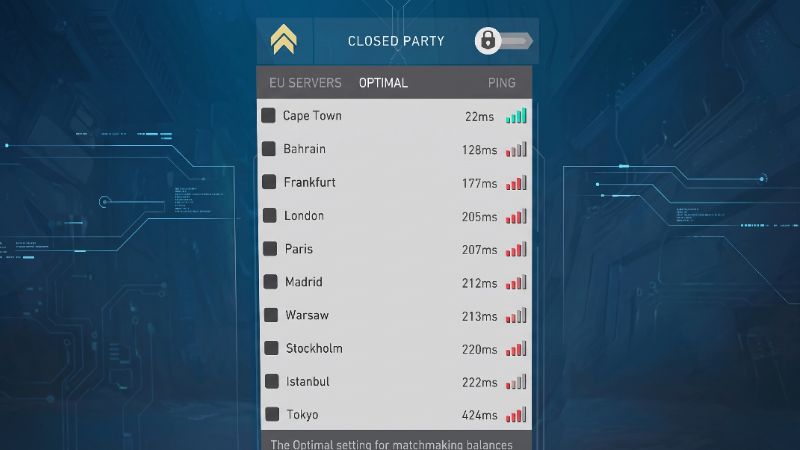
Image credit: Riot Games
That is why having stable 20 ms ping without losses seems better than having a connection that spikes to 50-100 ms while sometimes going down to 10 ms. Also players looking for VALORANT Ranks can go and check out our online news.
How to get lowest ping in VALORANT
To begin with, pick the VALORANT server that has the lowest and the most stable ping time. Meaning that having a consistent connection matters more than having simply the lowest value. Riot also advises using Ethernet rather than Wi-Fi in order to obtain better stability. The players can enable Network RTT and packet-loss statistics in VALORANT in order to assess their connection and identify any possible problems.
Steps to maintain stable connection:
- Use Ethernet when possible.
- Choose a server with low ping.
- Monitor Network RTT and packet loss.
- Avoid downloads, stream, or background traffic while playing.
- Restart router if experiencing ping spikes.
- Contact ISP if packet loss or routing problems continue.
Should you change Realtek ethernet settings?
Open Control panel > Network and Internet > Network and Sharing Center. Select the ethernet connection and open Properties. Open Realtek PCIe 2.5GbE Family Controller Properties. Go to advanced tab, where you can find settings:
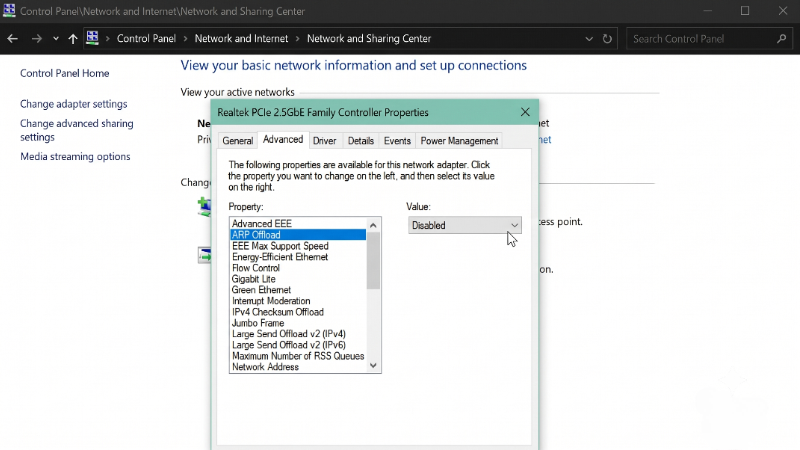
Image Credits: Riot Games
- Energy-Efficient Ethernet
- Green Ethernet
- Large Send Offload
- TCP Checksum Offload
- Flow Control
- Interrupt Moderation
- WOL & Shutdown Link Speed
It is suggested in gaming manuals to turn off the features of saving energy and offloading while changing WOL and shutdown link speed option to not speed down. The ultimate goal of the above adaptations was to achieve lower lag or better consistency.
But it should be noted that the proposed settings aren’t verified by VALORANT officials at all. The changes lead to an increased burden on CPU with no guarantee of lower ping. If a user already has a good connection, there is a chance the setting may be reflected.
What ping is best for VALORANT?
There isn’t any ping value that ensures registered hit. The standard value is under 20ms, 20 to 40ms works too, and 50ms is still playable. But the real issue is not the lowest ping but the stability of latency.
VALORANT requirements are low and stable ping, no packet loss, proper routing, and wired internet connection. These factors are much more important than any tweak via Windows’ network adapter for registering hits. For more content on VALORANT esports, check out our VALORANT esports hub.
Featured image credit: Riot Games




Related Articles
All Valorant News Valorant
 Valorant
 Valorant
 Valorant
 Valorant
 Valorant
 Valorant
 Valorant
 Valorant
 Valorant
No comments yet









 Spain. LaLiga. EA FC 25. (2x4 min)


 NODWIN Clutch Series 13


 Copa Libertadores. EA FC 25. (2x4 min)


 Champions League. EA FC 25 (2x4 min)


 England. Premier League. EA FC 25. (2x4 min)







Leave a Comment
Join our community or access your account to post a comment.