


The best way to surf in CS2


Players like to surf in CS2 to gain speed, but understanding how to pull it off can be challenging.
Surfing has existed in the Counter-Strike series for decades. Gamers love to surf because it can be a fun way to pass the time without the competitive pressure CS2 usually has. Many fans who haven’t touched Counter-Strike surf servers know about the mechanic thanks to the countless YouTube and TikTok videos showcasing surfing clips.
Mastering this skill can increase the player’s traversal speed and allow them to reach more places. Some may even wonder whether players can surf in regular CS2 matches. Players will have to learn the basics before tackling how cool surfing would look during a match.
Here is how to surf in CS2 and whether players can surf in regular game modes.
How do you surf in CS2?
Surfing in CS2 utilizes the fundamentals of air strafing to navigate mid-air movement.
Surfing requires players to make precise inputs at the perfect timing and an understanding of the Source engine’s physics. Firstly, surfing in CS2 is essentially air strafing on slopes. Players must go towards a ramp and jump on it with their knives equipped. Once they get on it and start sliding, they must release their forward key, usually W, and only use their mouse paired with the left and right strafe keys to navigate.
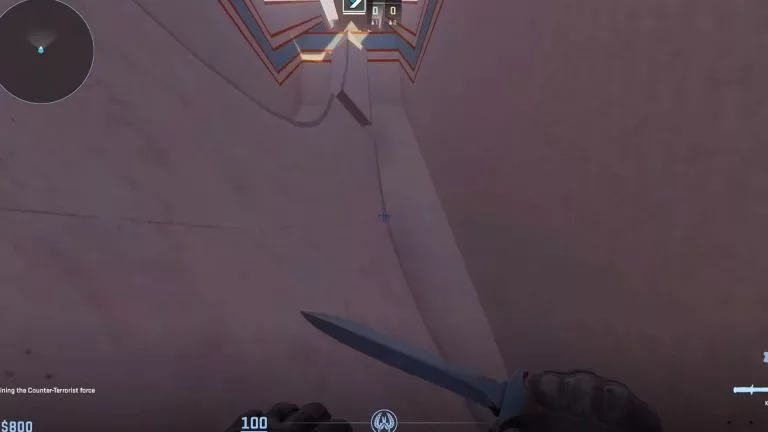
Once on the surface, press the sideways movement key towards the ramp. For example, press A if the ramp is towards the right and D if it’s towards the left. Players have to move the mouse slowly towards the same direction they’re moving. Don’t press W or S to move forward or back since it will interfere with the momentum.
Most surf maps have ramps with rollercoaster-like slopes. This ensures player characters can gain enough speed to launch themselves off the end. When that happens, it’s crucial to quickly identify and move towards a different ramp to slowly but surely proceed to the finish line. Depending on the map’s difficulty players may have to navigate between tight spaces in midair to reach proceeding ramps. Professional surfers tend to inspect their knives while in mid-air for extra glamour.
The most important thing a player should do to get better at surfing is practice. Keep attempting to surf on different surfaces or try it in surfing maps. While many players make surfing look easy, avoiding instinctively pressing the forward or back keys takes practice. Retaining the momentum gained on ramps is key to surfing properly. Naturally, consistent FPS is also important.
Can you surf in CS2’s regular maps?
The best way to surf in CS2 is to play on surf maps or servers. Players can still surf on some surfaces in regular CS2 maps, though not as smoothly.
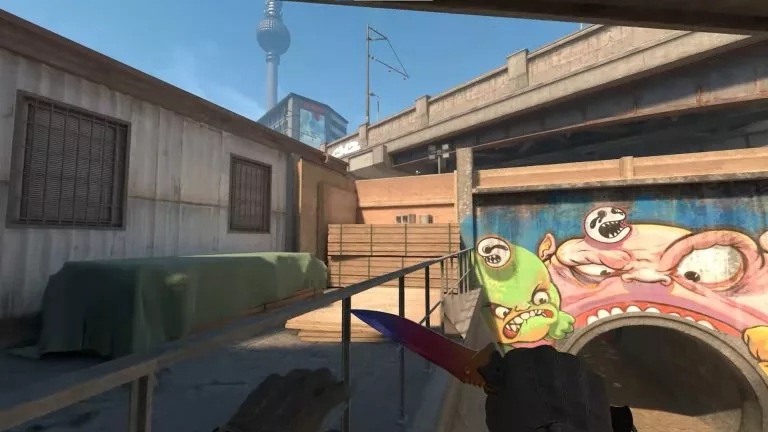
Depending on the map, players can implement the technique in regular matches. For example, take the Overpass map. The small ramp between B short and the tunnel around water can be surfed. However, surfing in regular game modes has no advantage in most cases.
Players can integrate surfing practices in bunny-hopping, increasing their speed in competitive matches. More specifically, proper air strafing can increase movement speed. In a game like CS2 where players must regularly rush between two points on a map, a boost in movement speed can be invaluable.





Related Articles
All CS2 News CS2
CS2 CS2
CS2 CS2
CS2 CS2
CS2 CS2
CS2
 CS2
CS2 CS2
CS2 CS2
CS2 CS2
CS2No comments yet











 Italy. Seria A. EA FC 25. (2x4 min)


 World Cup. EA FC 25. (2x4 min)


 ESEA Advanced Season 59 Europe


 Copa Libertadores. EA FC 25. (2x4 min)


 Champions League. EA FC 25 (2x4 min)






Leave a Comment
Join our community or access your account to post a comment.